


By
Malory Lepage
AI-generated product photos: when the image makes people doubt the product
Approx. 6 min
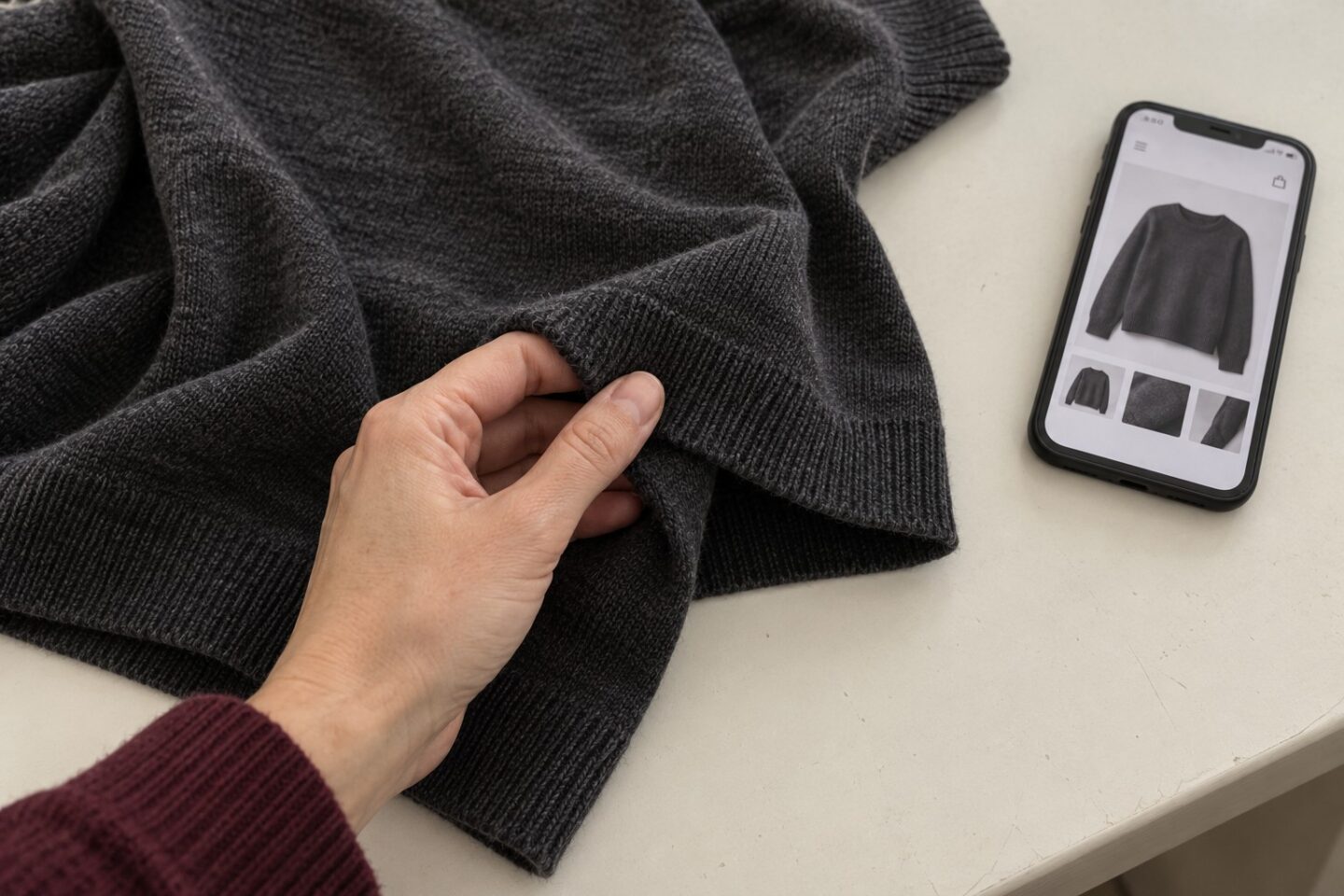
One evening this week, I was shopping for clothes online. A brand I didn’t know, pieces I liked. Then a detail jumped out at me: from one photo to the next, the setting changed slightly. A plant whose pot changed colour, a wall sconce that was completely different. The images were AI-generated. The technique itself didn’t bother me, but what went through my head right after did. I started doubting the clothing itself. Does the fabric really fall like that? Does the cut really look like that on a real body? I closed the tab with more questions than answers.
I show the photos in question in the video that started this train of thought: Watch it on TikTok.
After more than 500 projects since 2017, we’ve seen a lot of image production decisions go by. This one comes up more and more often, and it’s almost always made for good reasons: timelines, costs, and the flexibility of adapting a visual into twelve formats without calling anyone back to the studio.
What does an AI-generated photo tell a hesitant customer?
It says “here’s what it could look like.” The customer is looking for “here’s what it looks like.”
A product photo has a specific job: answering the question someone asks just before they pull out their card. Is the colour accurate? Is the size what I’m picturing? Does the finish look like good quality? It’s reassurance work, and it’s the last step before the decision.
When the image can’t be verified, that work stops getting done. The customer doesn’t think “this photo is generated.” They think “I’m not so sure,” and they second-guess the purchase. That’s exactly the kind of friction we spend our days removing from the customer journey for our clients.
Why do AI-generated images get spotted so quickly?
Because people look at the setting without realizing it. That’s where image generation often makes mistakes, and the human eye catches them without even trying.
A single image often gets by just fine. It’s usually across a series of photos that this kind of detail gives itself away. On a product page, people look at five or six photos in a row, and the brain compares them without being asked. A tile pattern that changes, a handle that disappears, a seam that stops short of the end of the sleeve. You don’t need to be a photographer to catch it. Most people can’t even name what’s off. They just sense that something isn’t right.
And the day someone really notices, they stop evaluating the image. They start evaluating the brand. The question becomes: what else are they cutting corners on?
What should you ask before generating an image instead of photographing it?
Our four key questions take less than ten minutes to settle, and they help you avoid a shortcut that could turn out to be costly for the brand.
1. What does this image need to prove?
If it needs to prove the material, the cut, the scale, the finish or the actual size of an object, you photograph it. Those are the only things a customer can’t verify any other way before the package arrives. If it needs to set a mood or carry a concept, that constraint falls away.
For example, a makeup compact or a pair of earbuds that is actually photographed, then staged with AI, stays realistic. The product shown is the real product. It requires careful quality control, because what appears on screen has to be identical to what comes out of the box, but the image still does its job.
A generated makeup swatch, on the other hand, falls right back into the clothing example. The customer doesn’t want a hypothesis of what the product does on skin; they expect the photo to give it to them straight.
2. Does it stand alone or sit in a series?
A single image on a campaign page can work. Twelve generated images on the same product page get compared with each other, and that’s the kind of comparison that brings flaws to the surface. The longer the series, the higher the risk.
3. Can the customer hold the image up against reality?
A product delivered to the door, a hotel room, a building site, a dish at a restaurant. Whenever the image and the real thing are going to meet, the gap costs you. It costs you in returns, in reviews, in calls to customer service.
4. What do we say if someone points it out publicly?
If the answer is honest and you stand behind it, you’re fine. If it’s embarrassing, that’s the warning sign. This test is the fastest of the four, and it’s often the one that settles it.
As you may have noticed, none of this is about the quality of the tool. It’s all about the job the image has to do.
When is AI the right tool for a brand image?
When the image has nothing to prove about the product. In that case, it’s excellent, and we use it at the agency too.
Backgrounds, set extensions, adapting one visual into multiple formats, moodboards, creative tests before a shoot, concept visuals used to get a direction approved internally. In all of these cases, nobody expects the generated part to stand in for a real object. It carries an intention, and generating it saves time without costing any credibility.
That’s where we draw the line in production. The more an image carries a promise someone can verify, the riskier it is to generate it. A human face, a material, a scale, a place that exists: out comes the camera. A mood, a concept, a background: you can generate it.
It gets decided case by case, upstream. It’s the kind of choice that has a direct impact on what the brand is willing to let through.
Key takeaways
Can you use AI-generated images in marketing?
Yes, when what’s generated has nothing to prove about the product. Backgrounds, concepts, format adaptations, creative tests: the tool does the job and saves time. The constraint only appears when the image serves as proof.
What should a good product photo do?
Remove a doubt. Colour, material, cut, scale, finish: those are the things a customer can’t verify any other way before receiving the order. An image that leaves those questions open pushes the purchase back, or worse, talks the customer out of choosing the brand at all.
Articles reliés
Authentic content: the part you can’t approve
It's a request that comes up with almost every new engagement. The client wants content that feels more…
When social media isn’t working: the excuse behind the real decision
On discovery calls, we hear some version of the same sentence every week: "TikTok doesn't work for us,"…